MatchX Platform
Transforming fragmented, burdensome workflows into a unified, holistic platform that simplifies complexity and sets a new standard in histocompatibility analysis.
MatchX — Software Walkthrough
About
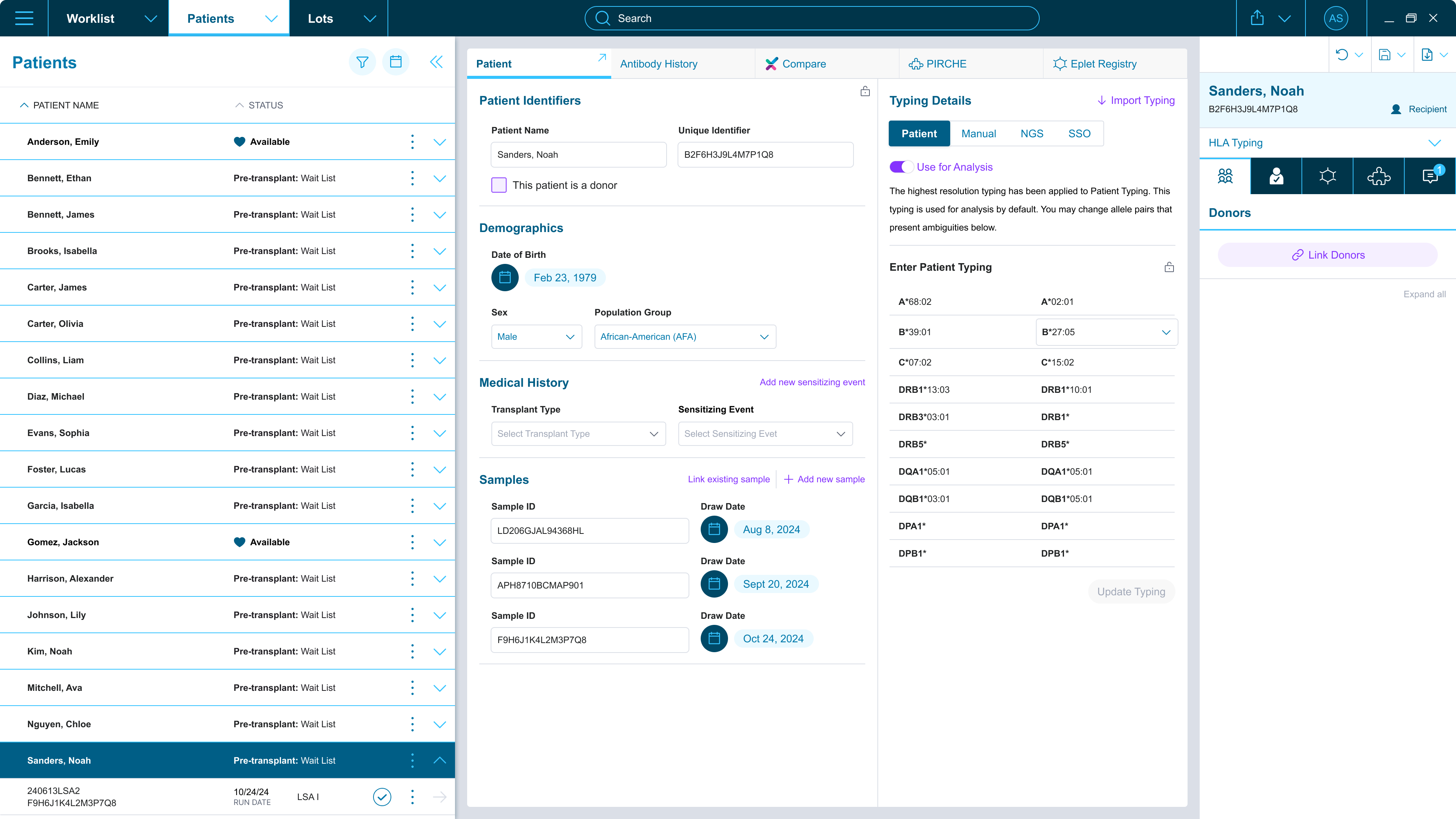
Immucor (now part of Werfen) asked us to reimagine their fragmented digital suite of DNA, Antibody, and Platelet Antibody tools into a single cohesive platform: MatchX.
The science was complex — but what mattered most was designing tools that people trust with life-critical decisions. Stepping into organ transplantation workflows meant understanding not just what users did, but the weight of what they were responsible for.
Through early stakeholder interviews and field visits, we saw how fragmented tools created friction at every step of analysis:
We embraced a risk-driven, iterative approach — immersing ourselves in labs, mapping real workflows, and rapidly validating assumptions with prototypes.
Every pattern we uncovered — from how technologists process results to how they reach life-critical decisions — shaped how we organized the tools around their work. Not minimalism. Precision: nothing extra, nothing in the way, nothing missing.
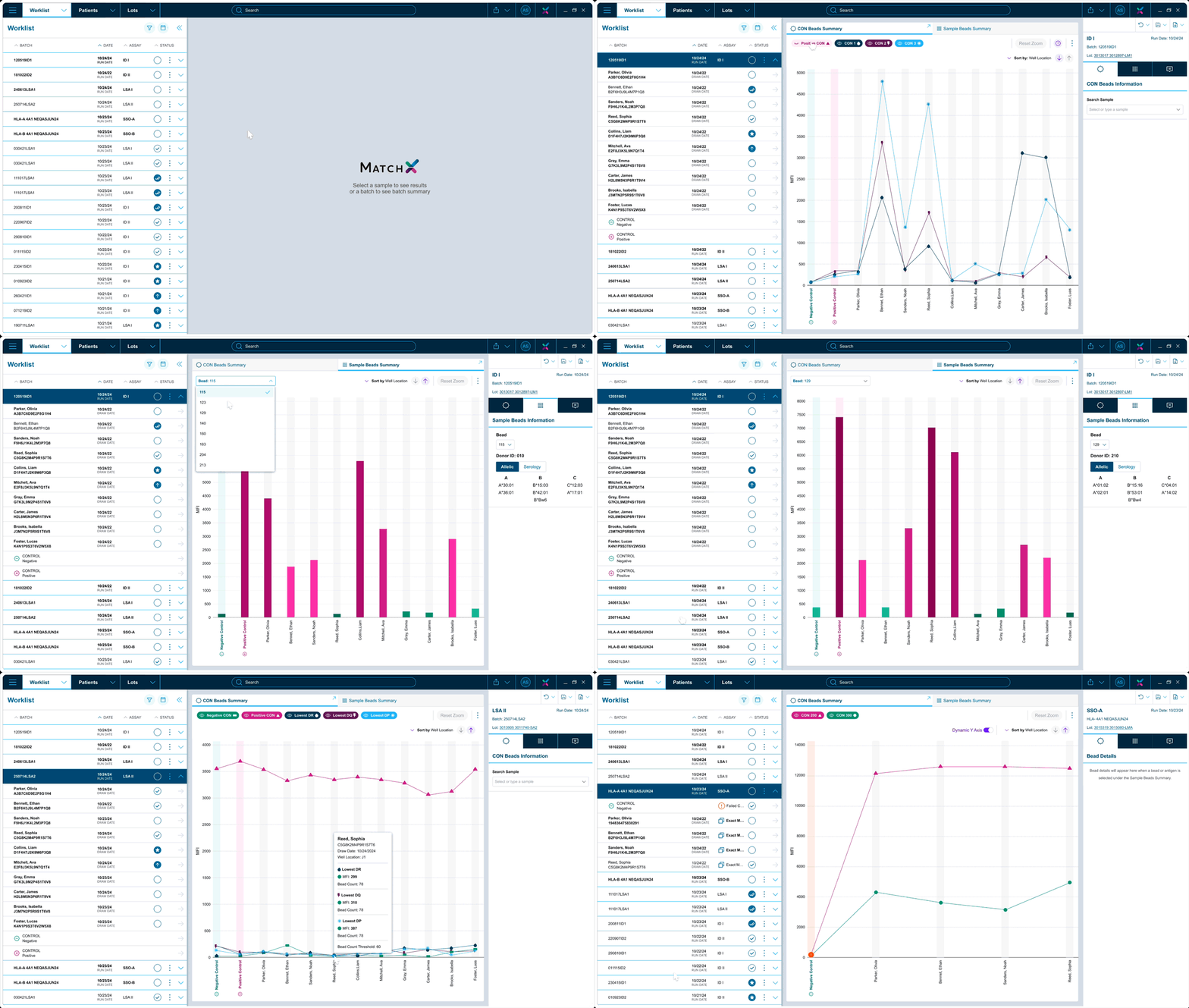
Labs ran DNA, Antibody, and Platelet workflows in completely separate tools — each with its own logic, navigation, and exports. MatchX unified them into a single experience built around how work actually flows in the lab.
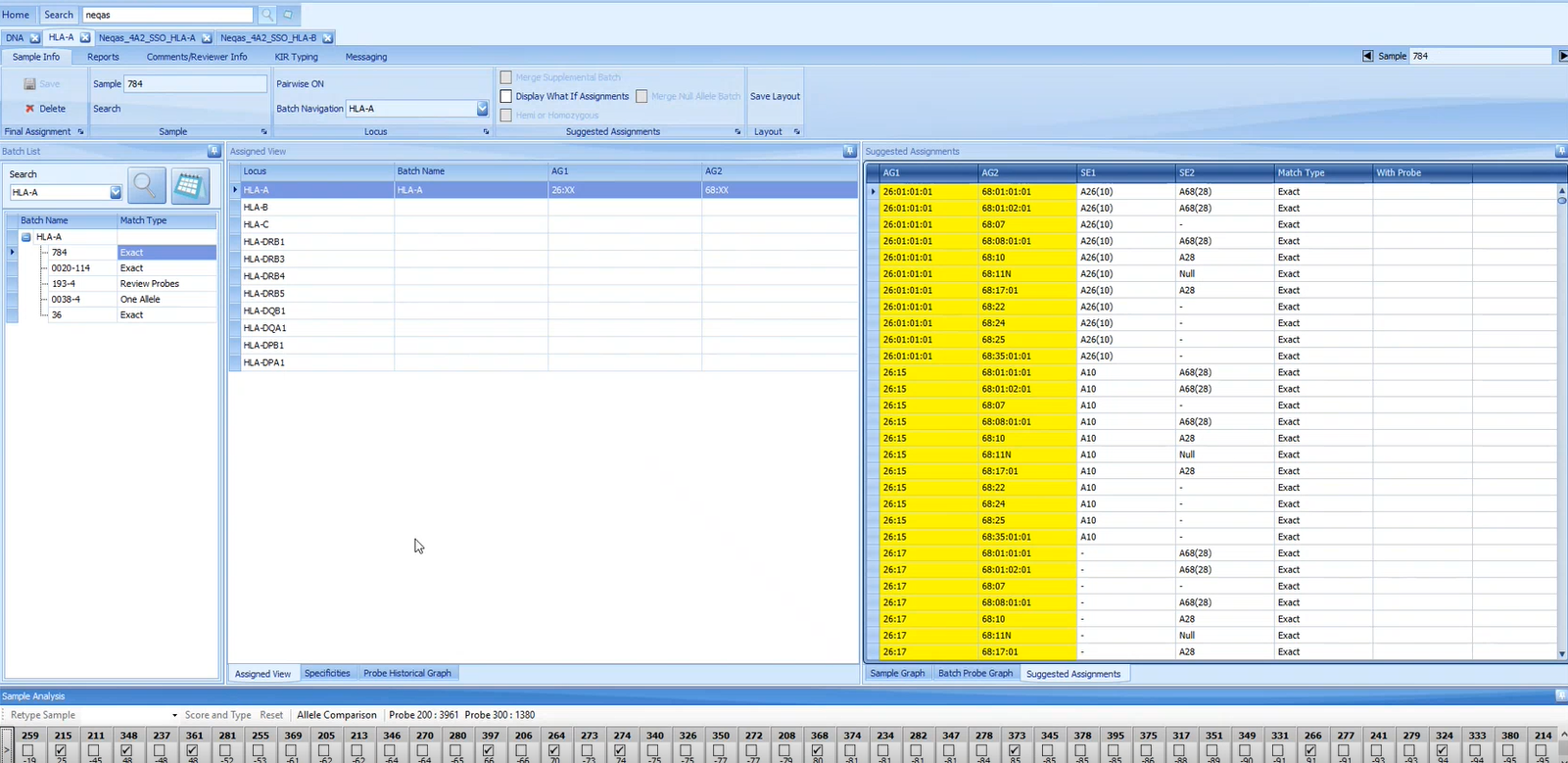
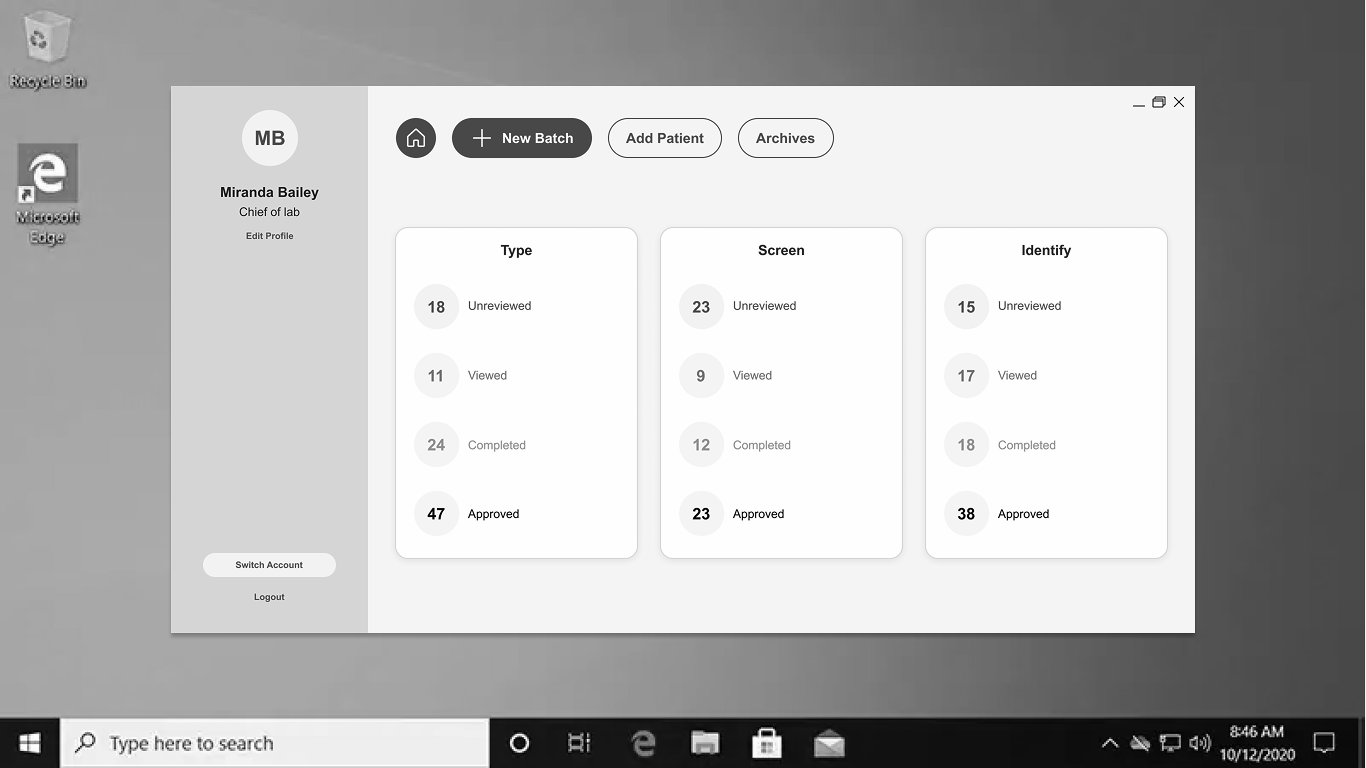
Before — Legacy Tools
Separate modules with inconsistent UI, disconnected data, and reliance on Excel worksheets, email chains, and paper-based records.
After — MatchX Platform
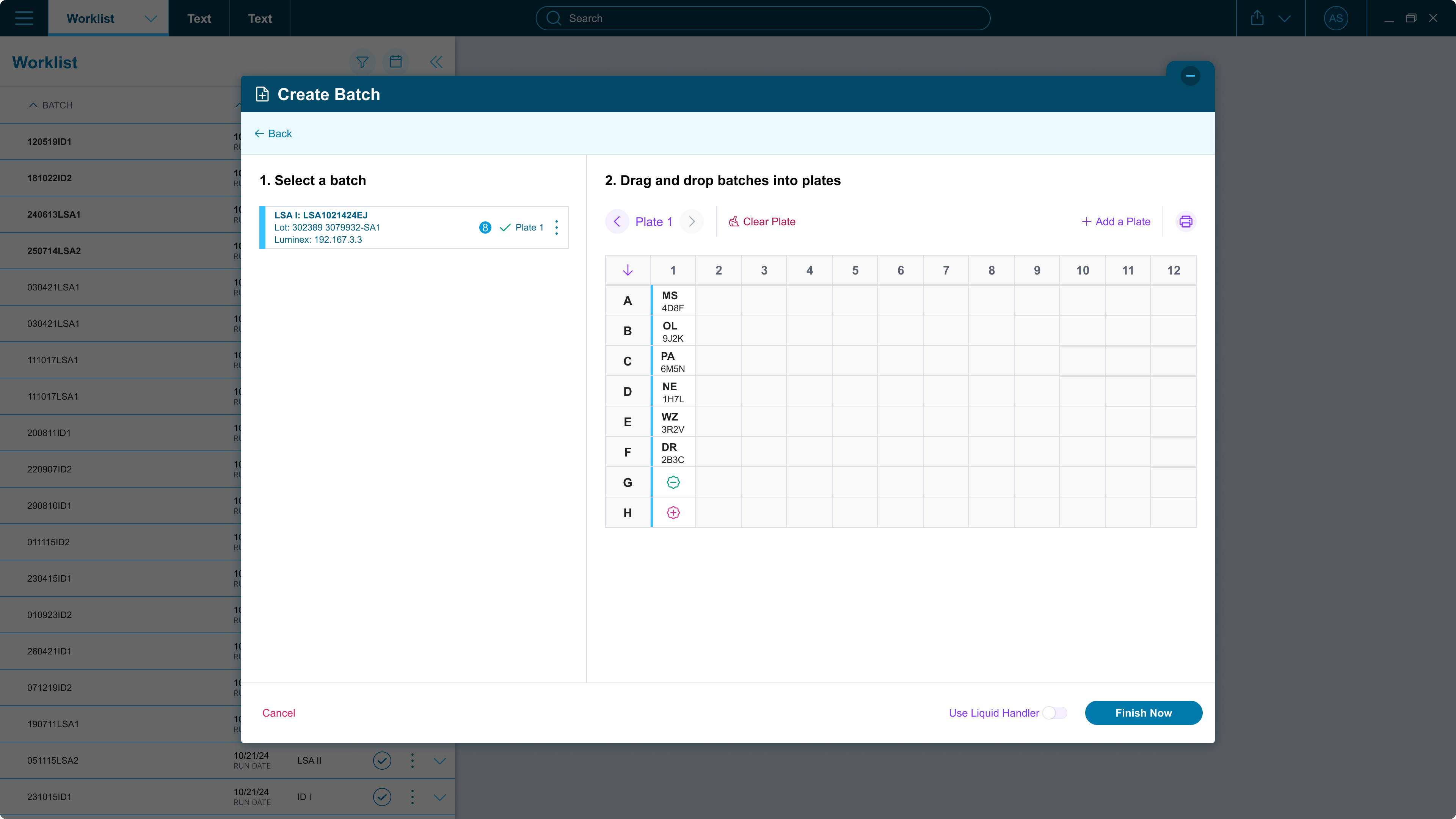
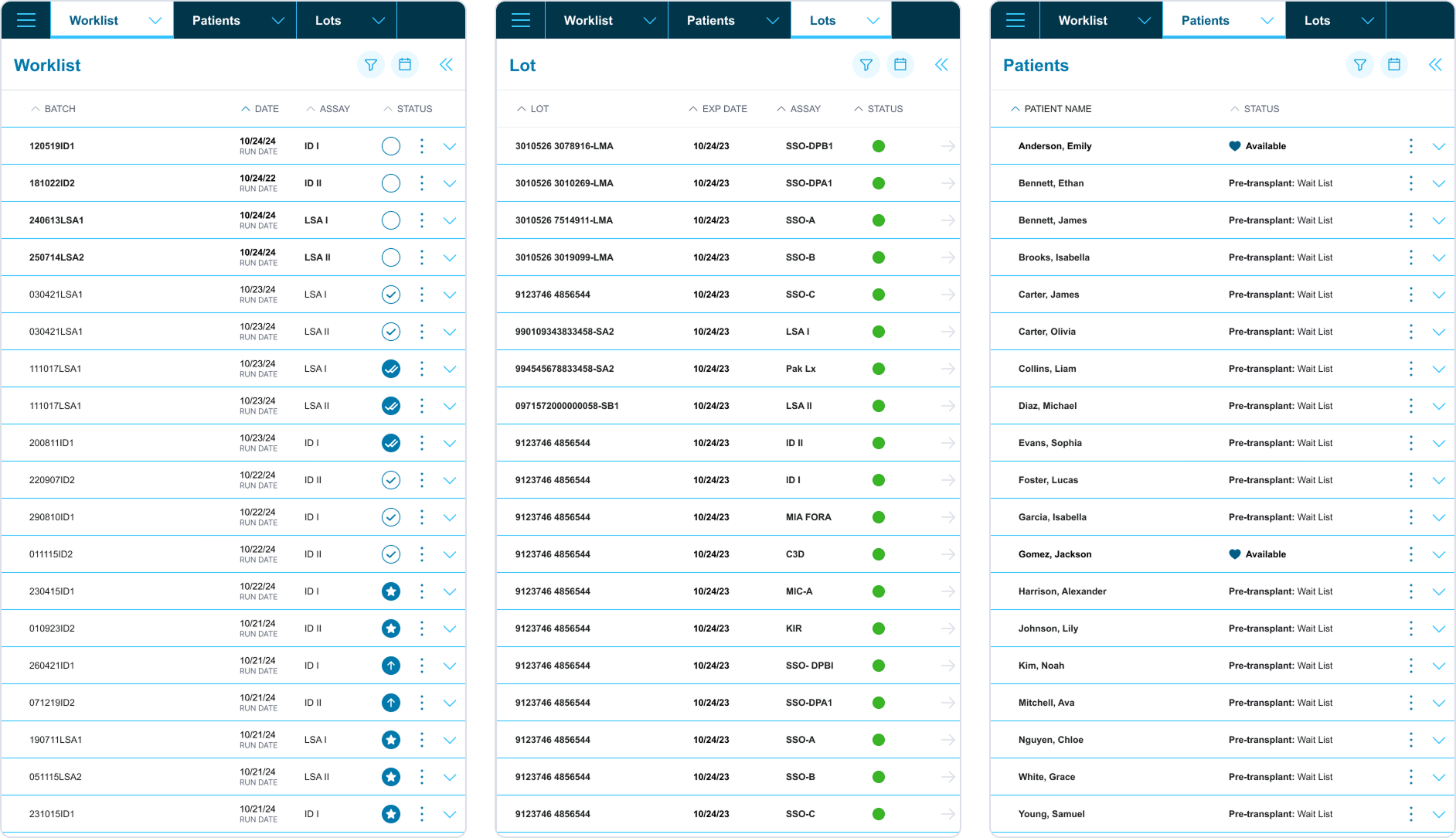
Unified platform with a centralized worklist hub, cross-workflow data integration, and built-in traceability at every step.
Key Insights
Multiple ways to complete tasks and deeply hidden tools led to inconsistent workflows.
Labs used Excel, external systems, or paper since the software lacked analysis support.
Many users exported data right after processing, revealing a lack of tools and connected flows.
Flows like creating a batch and analyzing a patient required steps buried across disconnected places.
Aha! Moments
Testing a startup screen revealed that a single, holistic platform was the right call — each assay is just one piece of the puzzle, and none could be isolated from the others.
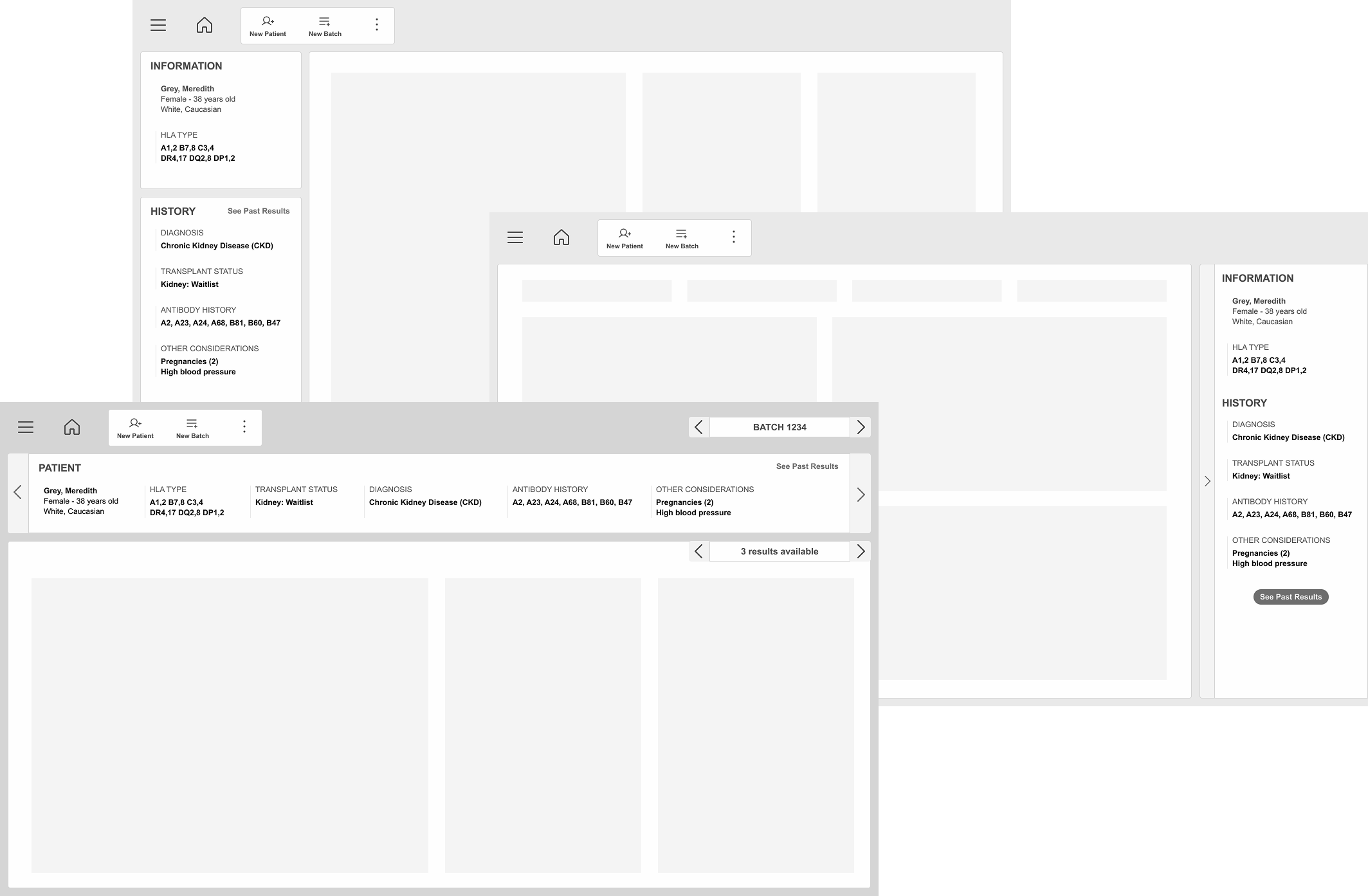
Testing disproved our assumption that patient-level and batch-level review were equivalent flows. Results are shaped by batch performance — so no matter how interconnected the data, it all starts with review by batch.
Discovery research revealed that both worlds exist: it depends on the assay, its complexity, and the overall performance of the batch.
What we learned in the field became the blueprint for every decision that followed.
Key Decisions
We divided our global navigation into three main hubs, each designed to present connected information while supporting different user needs.
We built a flat 2-level sitemap focused on lateral navigation, giving users a clear sense of location at every step.
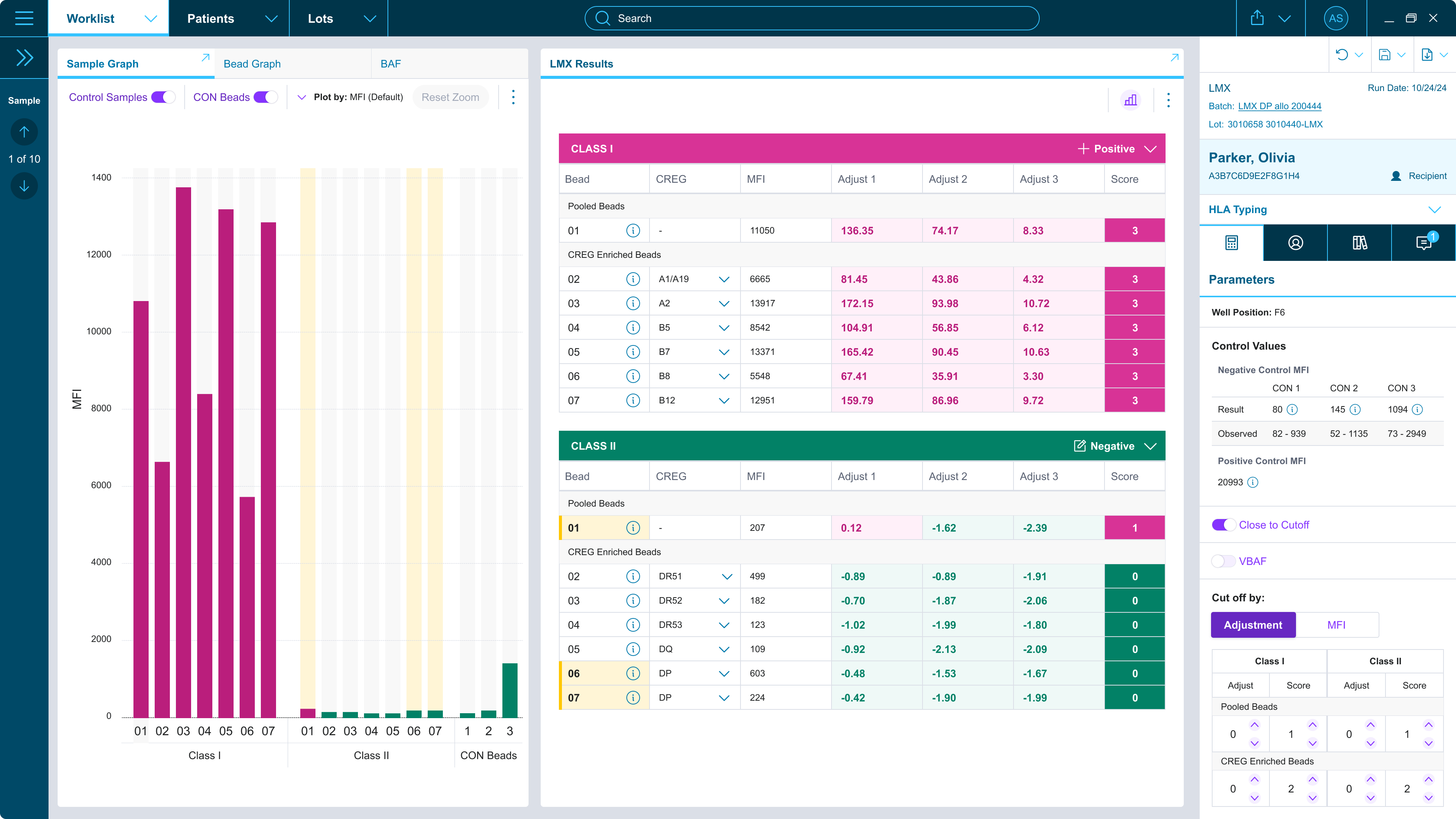
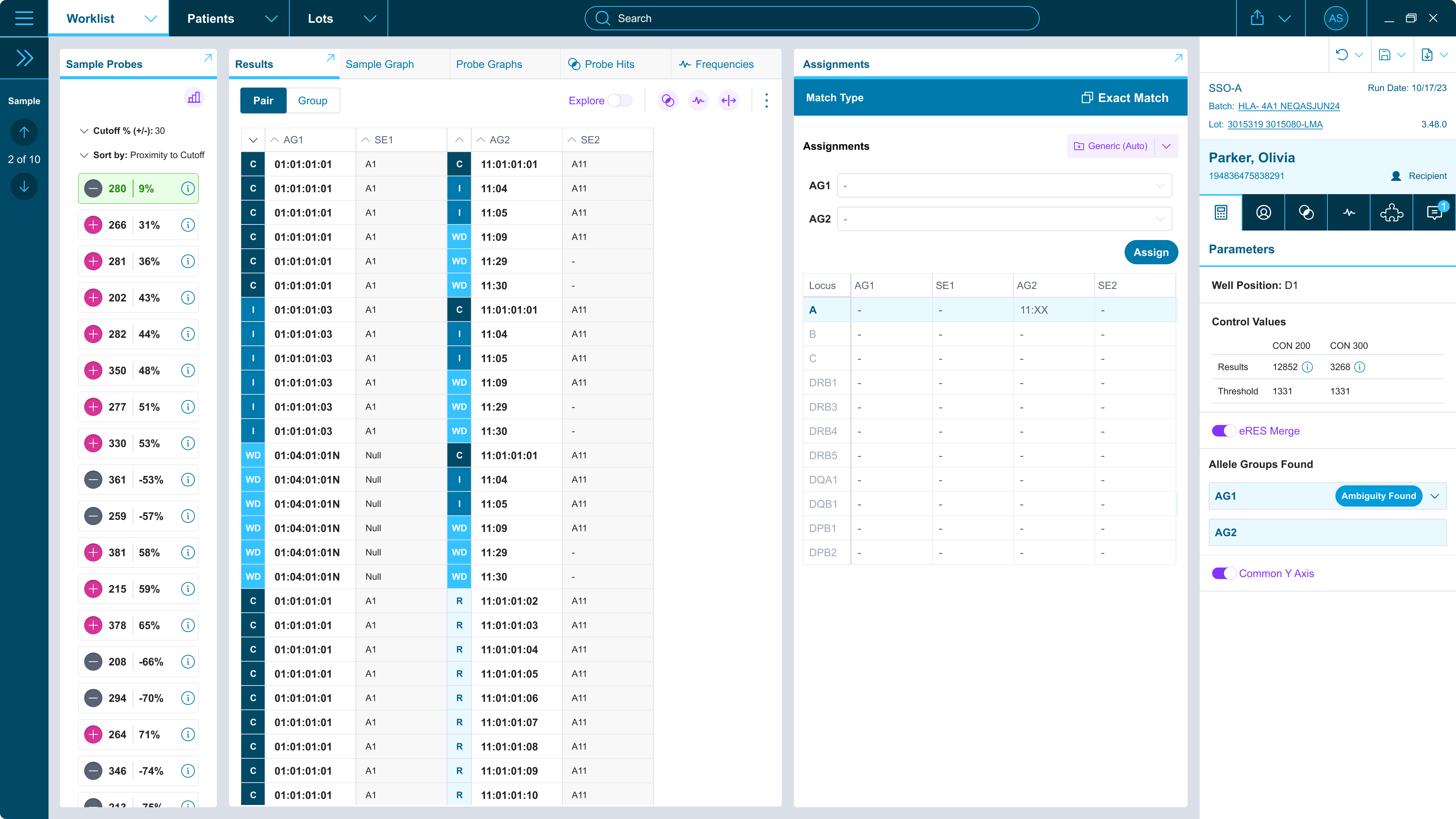
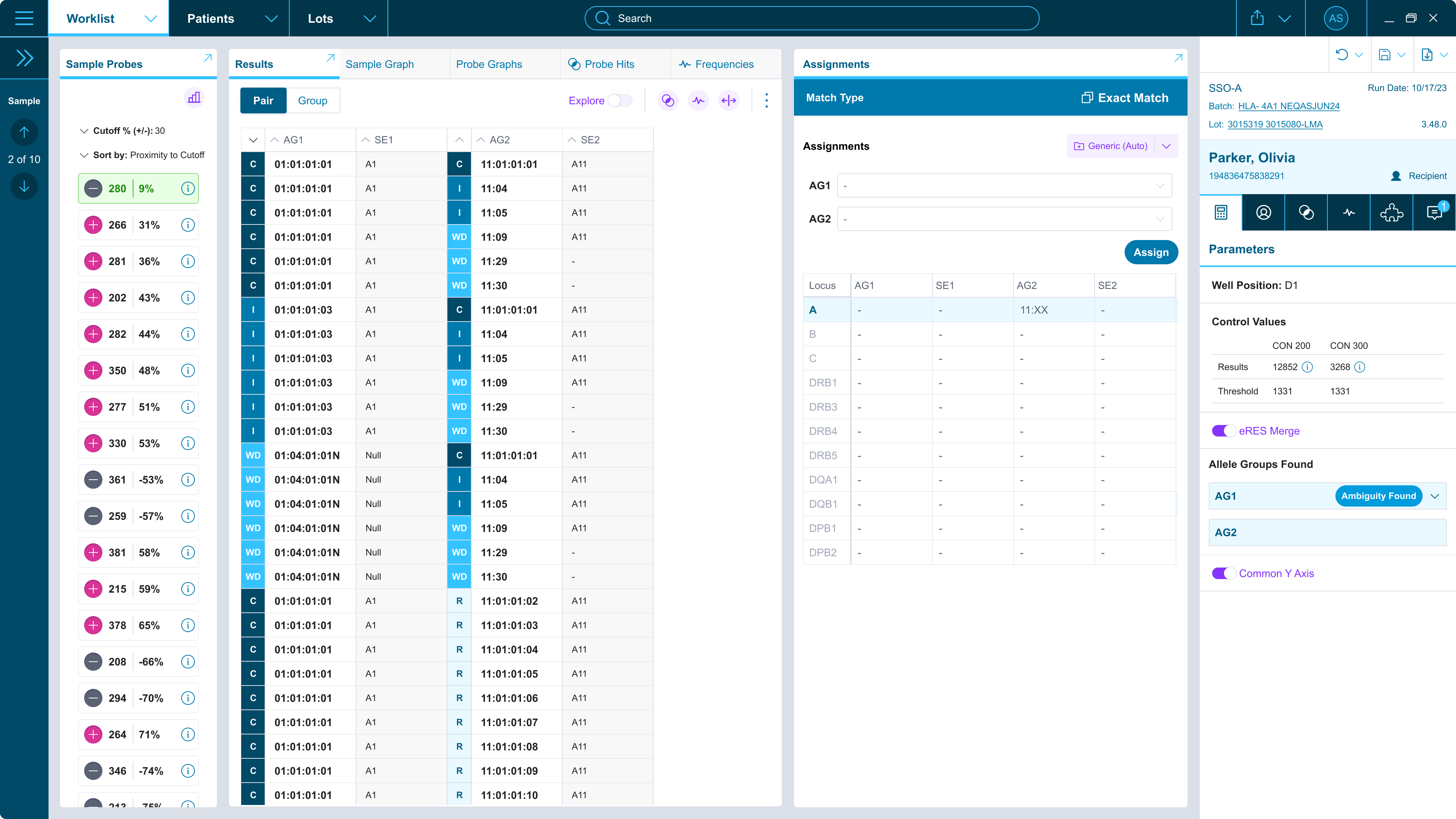
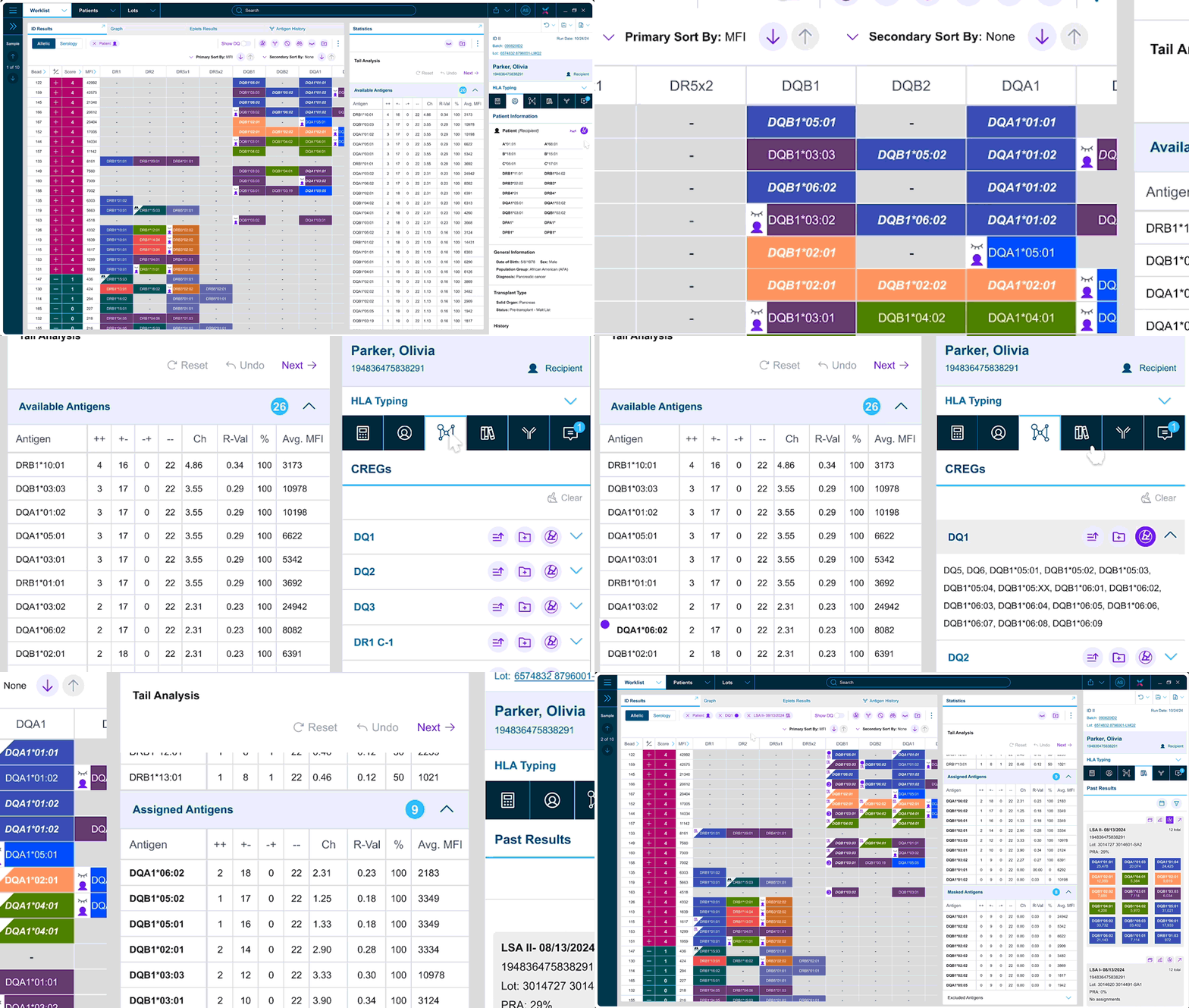
The results view presented a unique challenge. Users were accustomed to a freeform interface, which often felt chaotic. Our goal was to provide a consistent, organized workspace while still giving users the flexibility to use tools as they see fit.
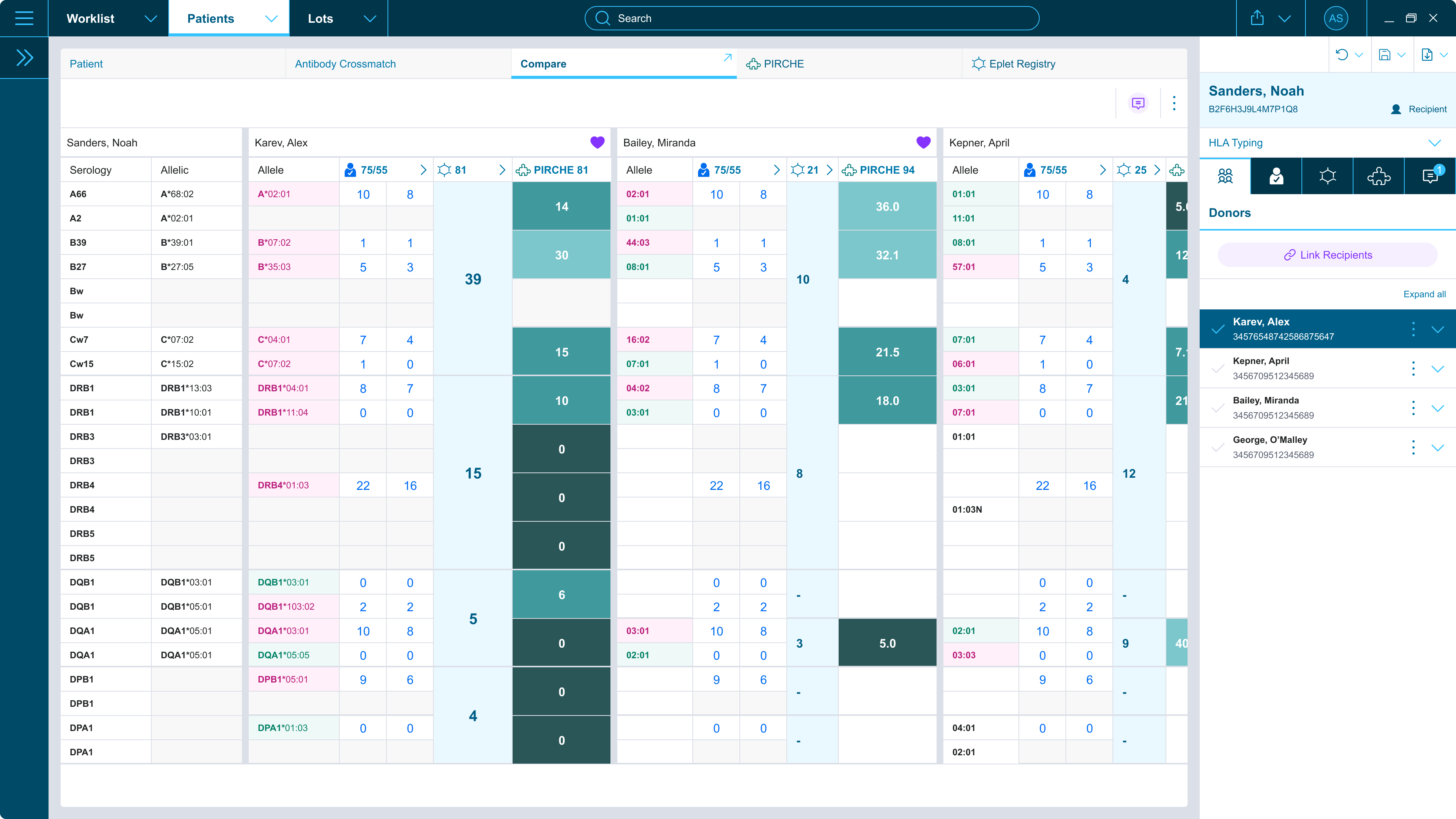
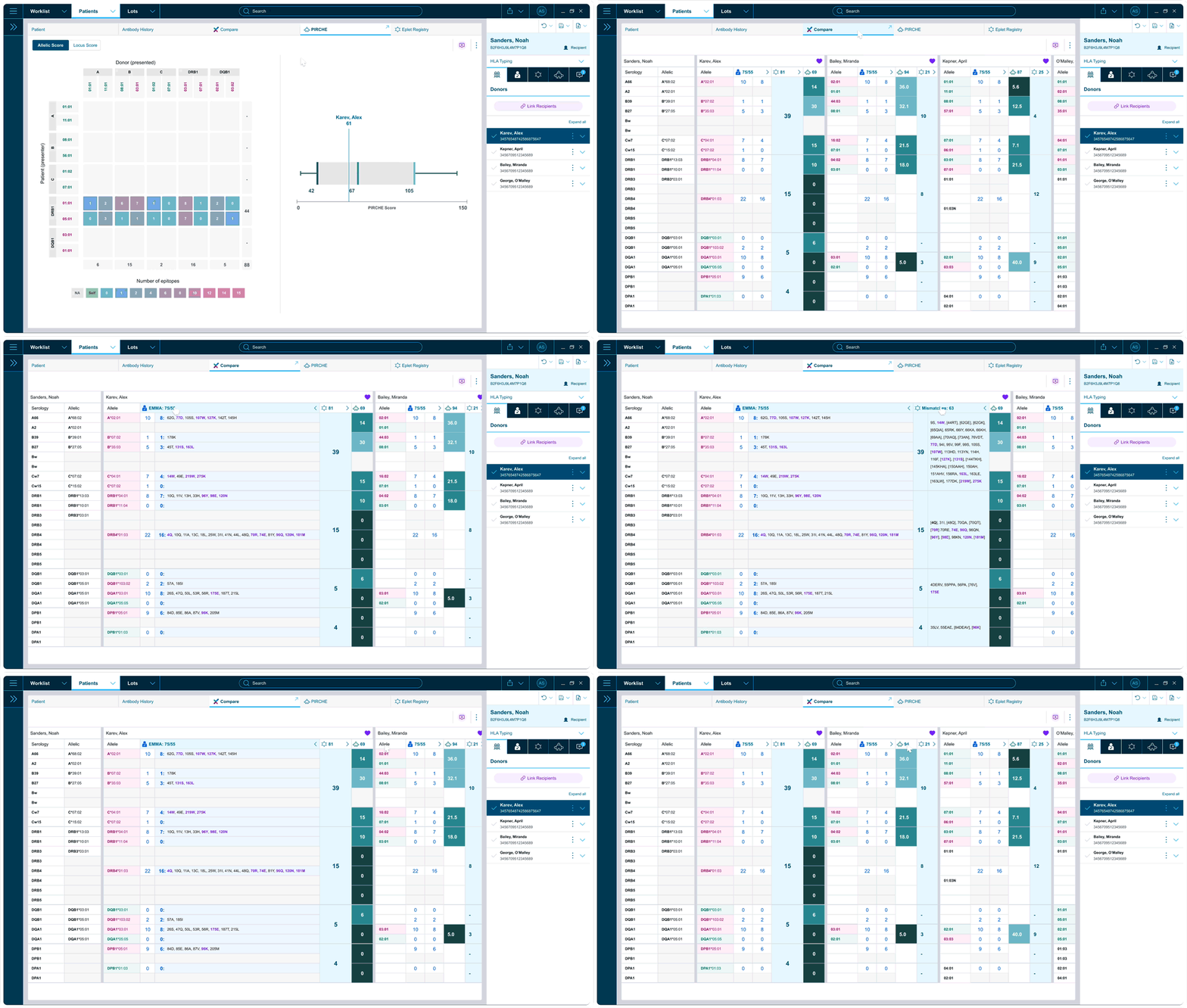
We learned how users prefer to consume information, what they need to compare side by side, and which details should always remain visible.
Key Features — most praised by users
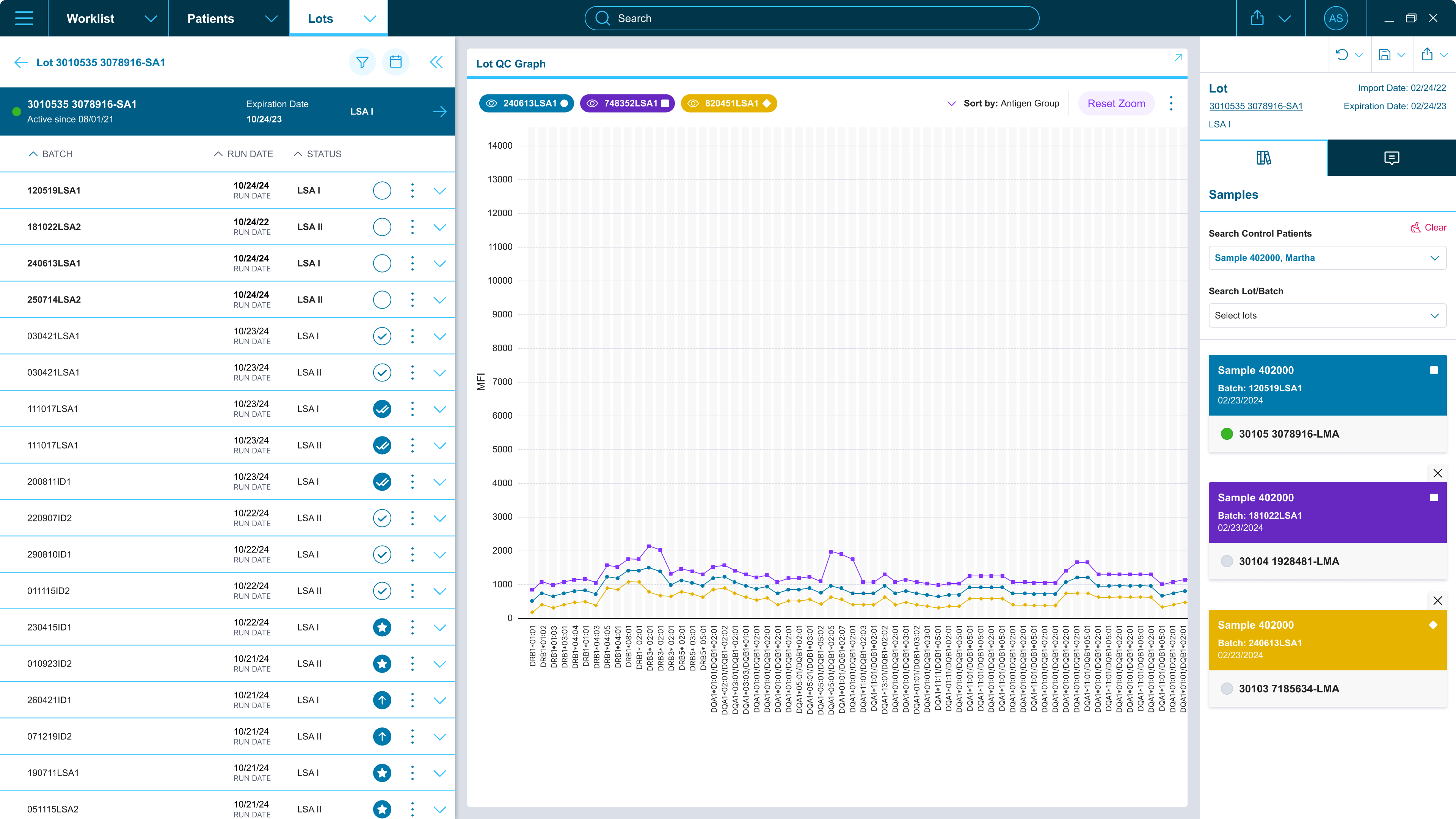
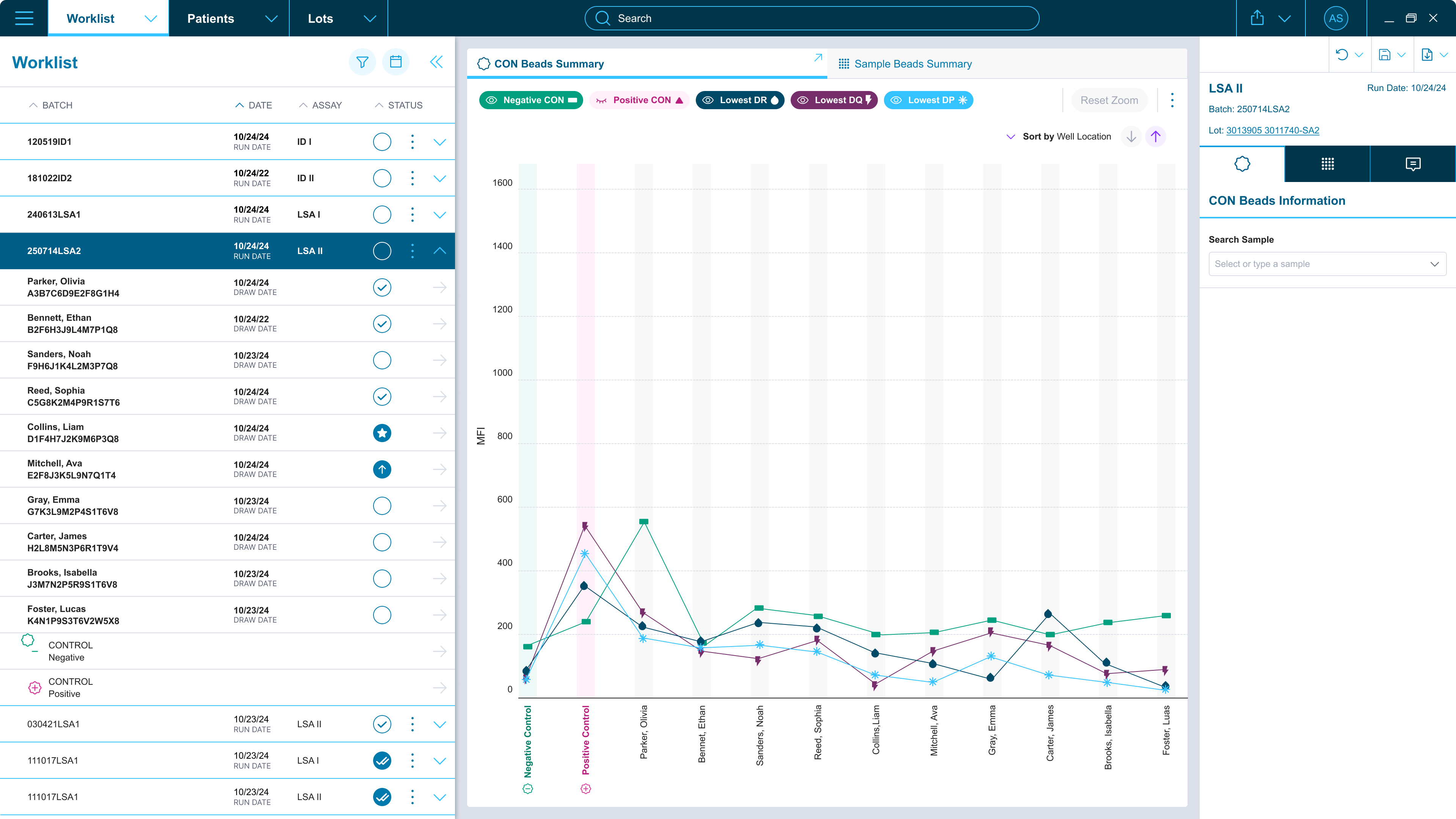
Aggregated data to quickly spot reactivity patterns and validate each batch faster.
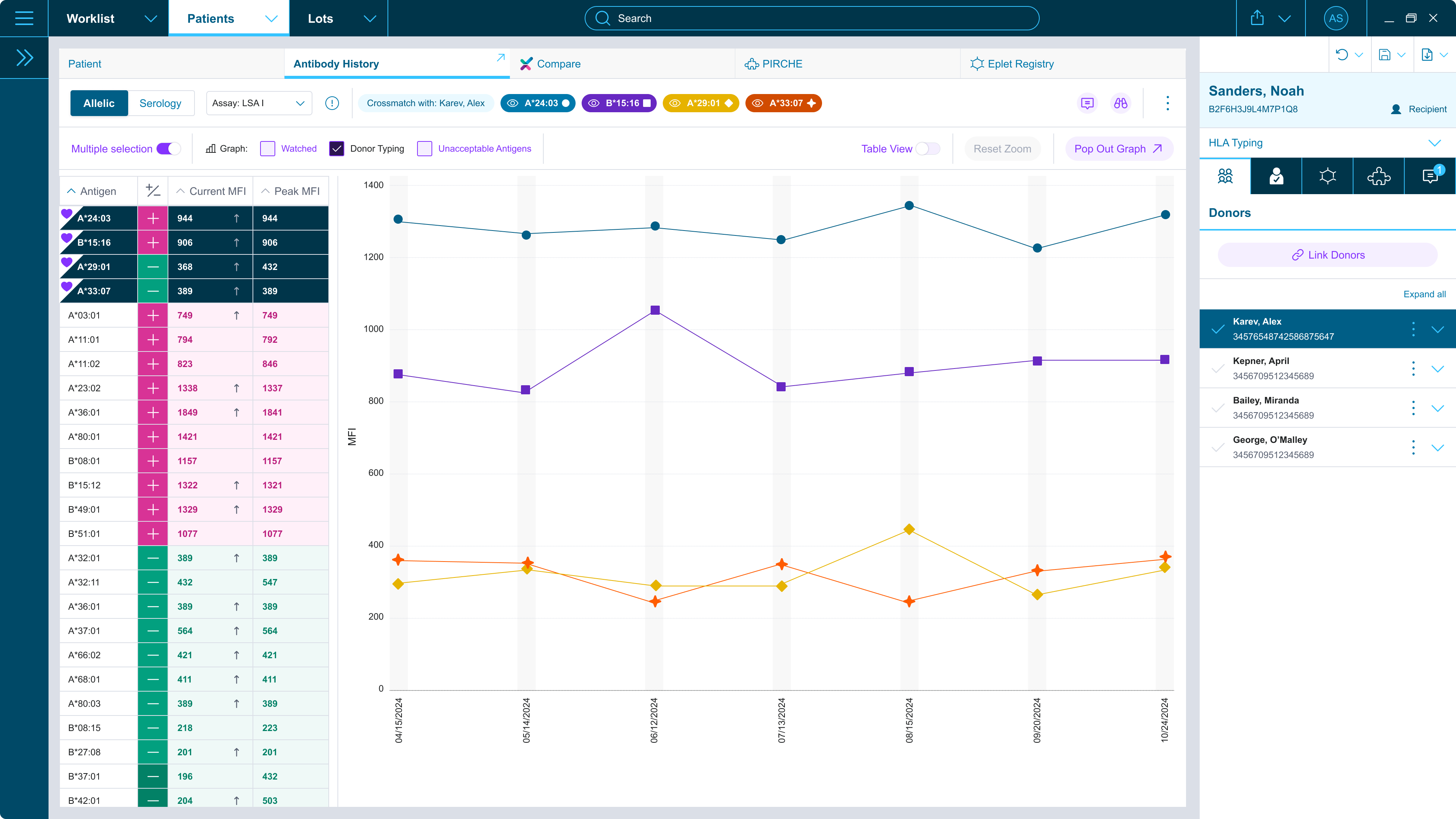
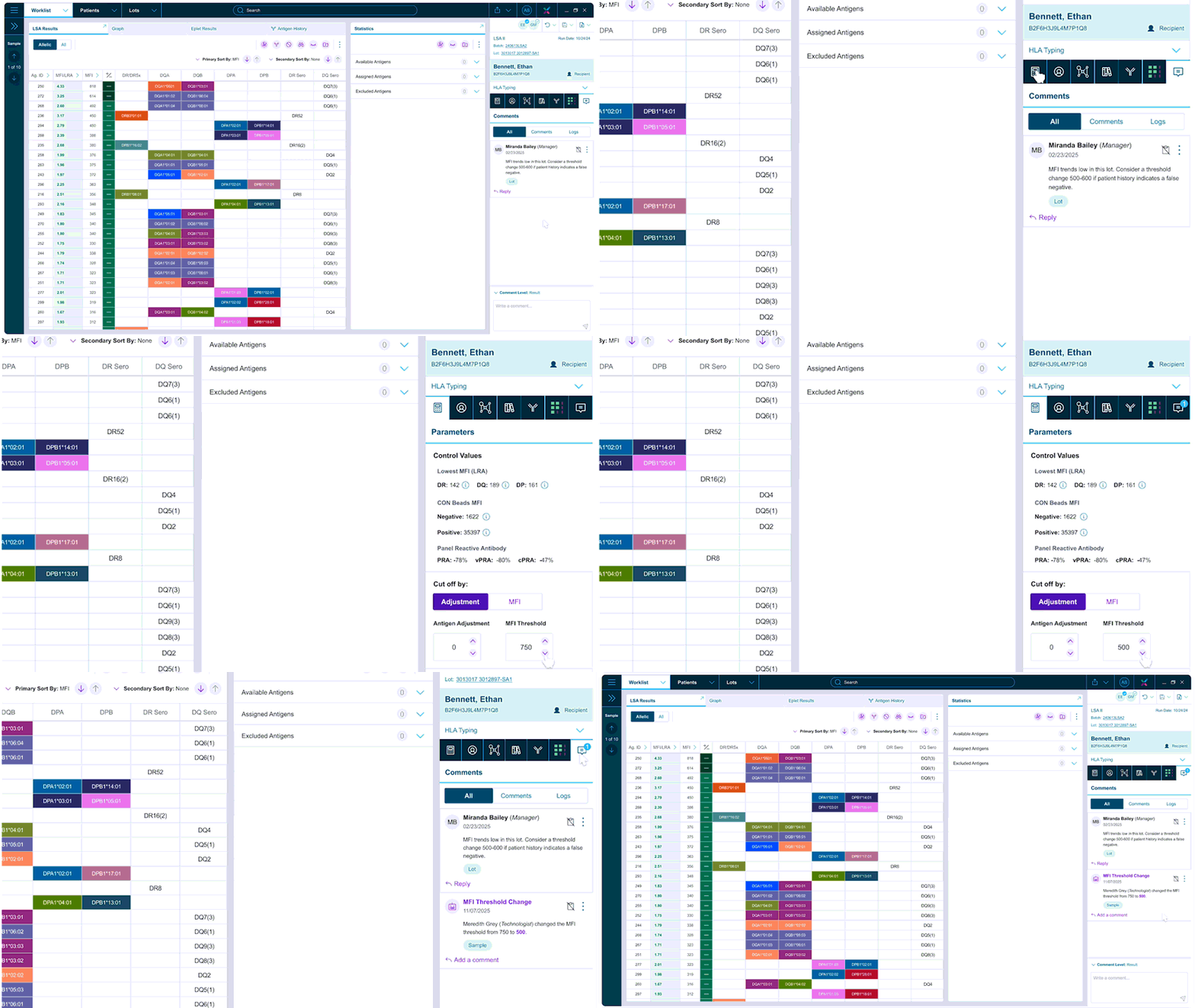
Manual and automatic highlighting to easily trace information across results and patient history.
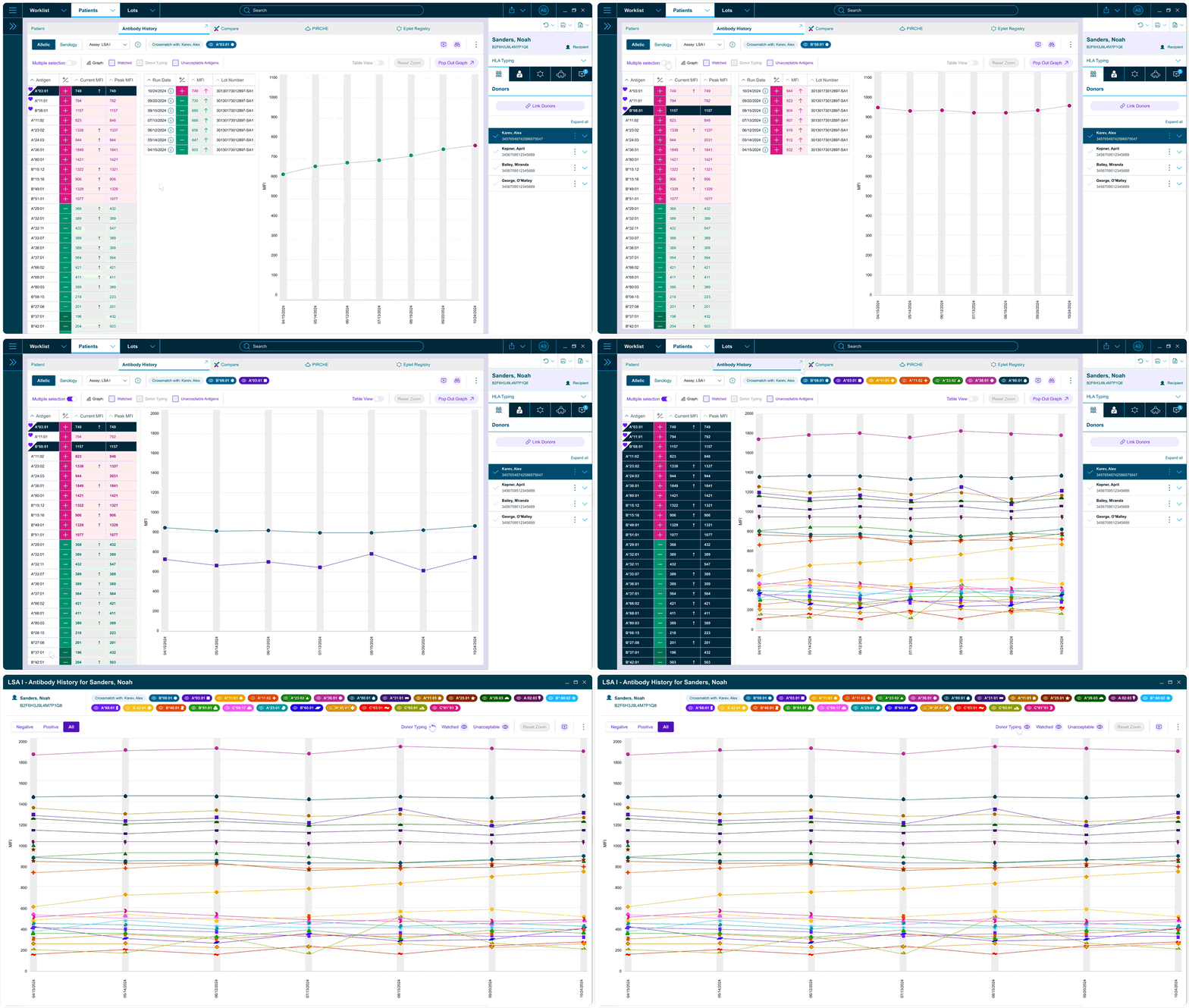
Compares and highlights past data against current results, removing the need for multiple tabs, disconnected flows, or paper records.
Plot trends for specific antigens relevant to the patient and donor to support informed clinical decisions.
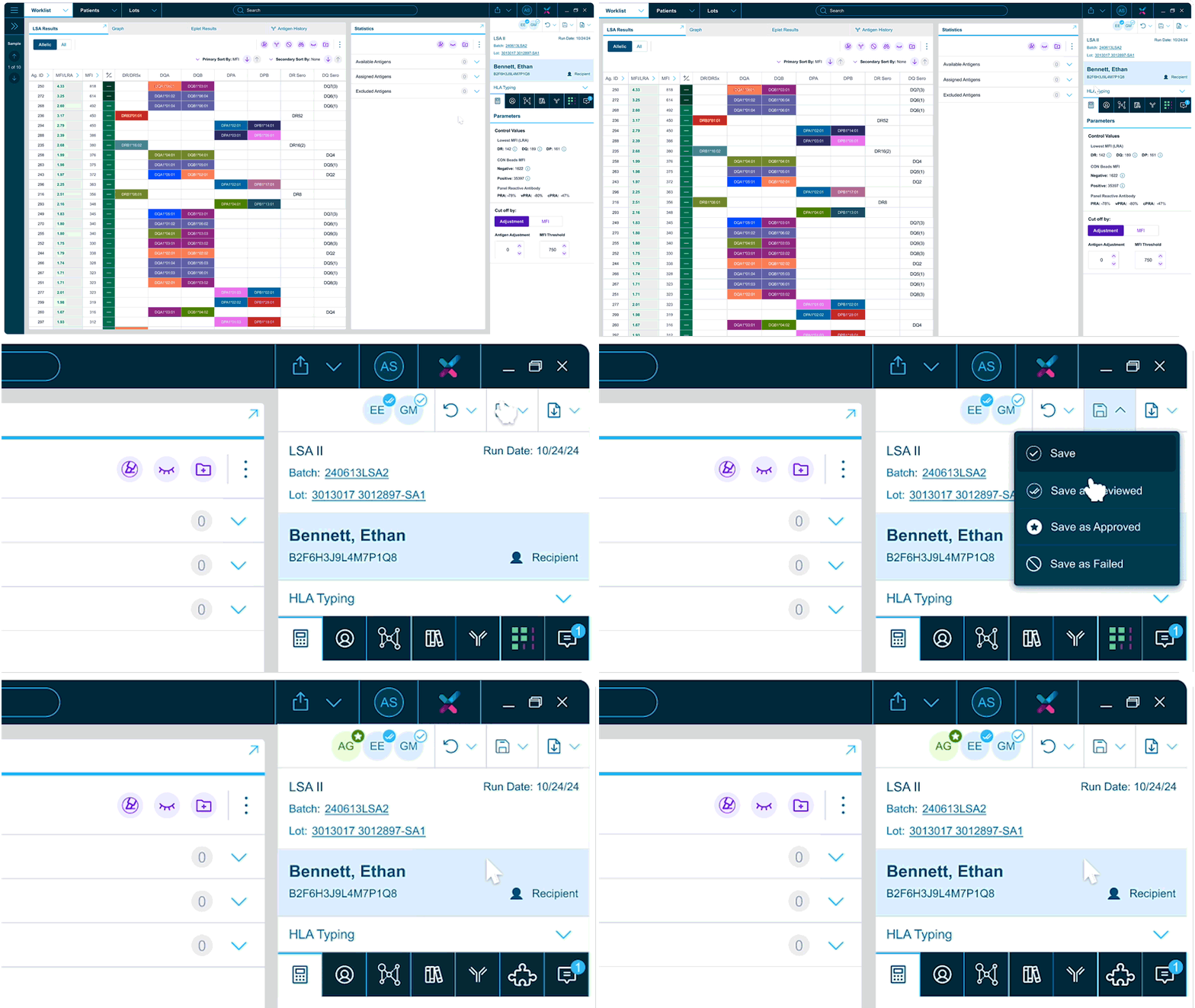
Track review, approval, and export activities at a glance — making it easier to see pending tasks and collaborate across teams.
A unified record of historical data, enhanced with APIs for a comprehensive virtual crossmatch experience.
Manual comments and automated activity logs to improve transparency and team collaboration.
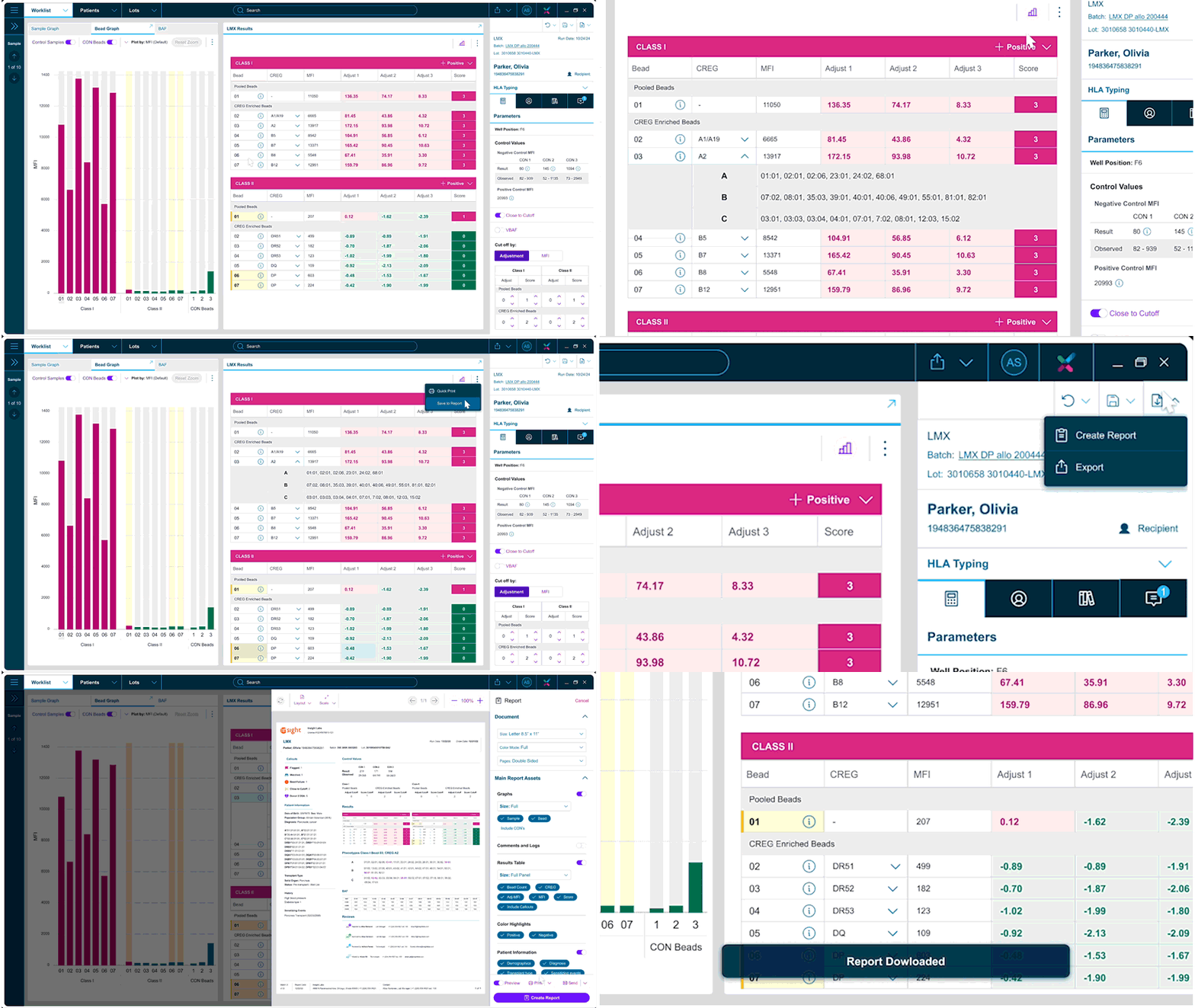
Save assets during analysis to build reports on the go and streamline the workflow.
Beyond the product
As Werfen begins rolling out MatchX internationally, this training tool is how they introduce the platform to new customers. Every screen includes contextual overlays and guided info cards — a fully interactive onboarding experience designed to work as a standalone product.
Interactive prototype — click to explore · use ⤢ to go fullscreen
Outcomes
We collaborated closely with the client to ensure alignment with regulatory guidelines for medical devices, particularly around human factors and usability. A summative usability study supported the product's submission and successful FDA approval.
MatchX FDA 510(k) Clearance – BK241067 (fda.gov)
The platform is now also under review for EU IVDR validation, marking the next step in global adoption.
Feedback from usability sessions was overwhelmingly positive — 99% acceptance rate
"If this becomes available the way you're showing it, my lab would adopt it fully."— Formative-study participant
"When is this coming out? We need this ASAP."— Formative-study participant
More case studies
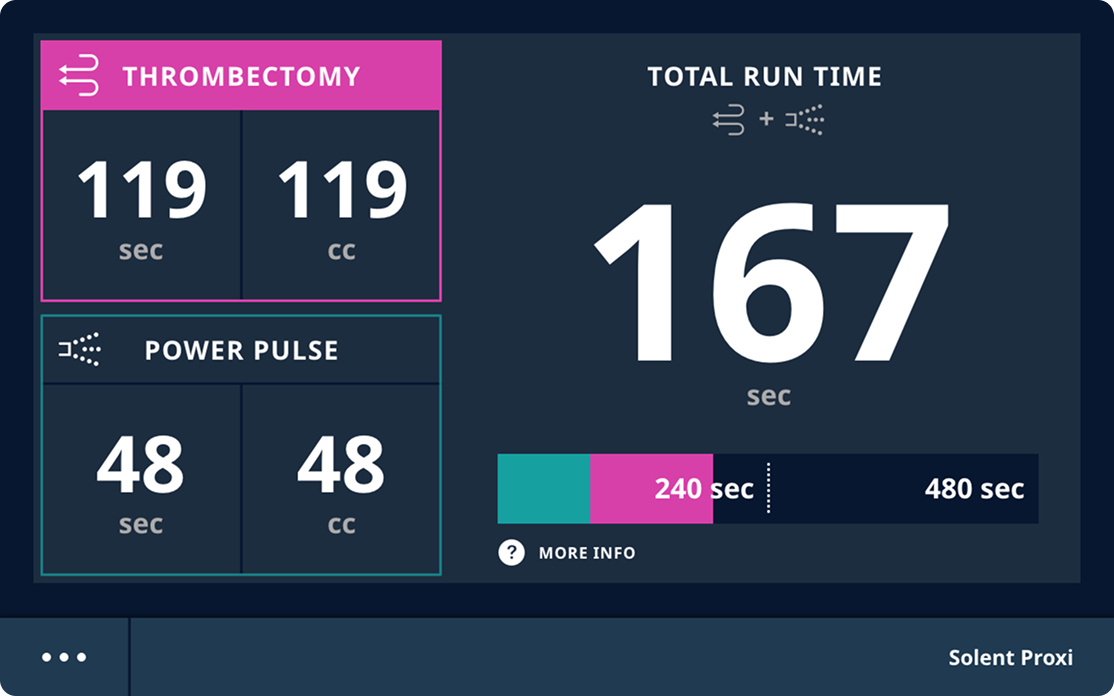
From Complexity to Clarity in Vascular Surgery — streamlining high-risk thrombectomy procedures with a device interface that enhances safety, reduces cognitive load, and supports confident decision-making in the OR.
Speed for experts. Clarity for beginners. — A next-generation GUI designed for operators of all levels, across platelet, plasma, and red blood cell collection.
Less manual. Less risk. More reliable blood banking. — A redesigned end-to-end workflow that automates manual handoffs, reduces error risk, and builds confidence across every role in the transfusion lab.