Boston Scientific · AutoElite Console
Designing a touchscreen interface for a surgical thrombectomy device. A confusing label or missed alert isn't a UX problem, it's a patient safety issue.
Workflow Demo
Watch a full procedure flow: from setup and catheter priming through Power Pulse, dwell timing, and Thrombectomy, to see how the interface guides the technologist step by step.
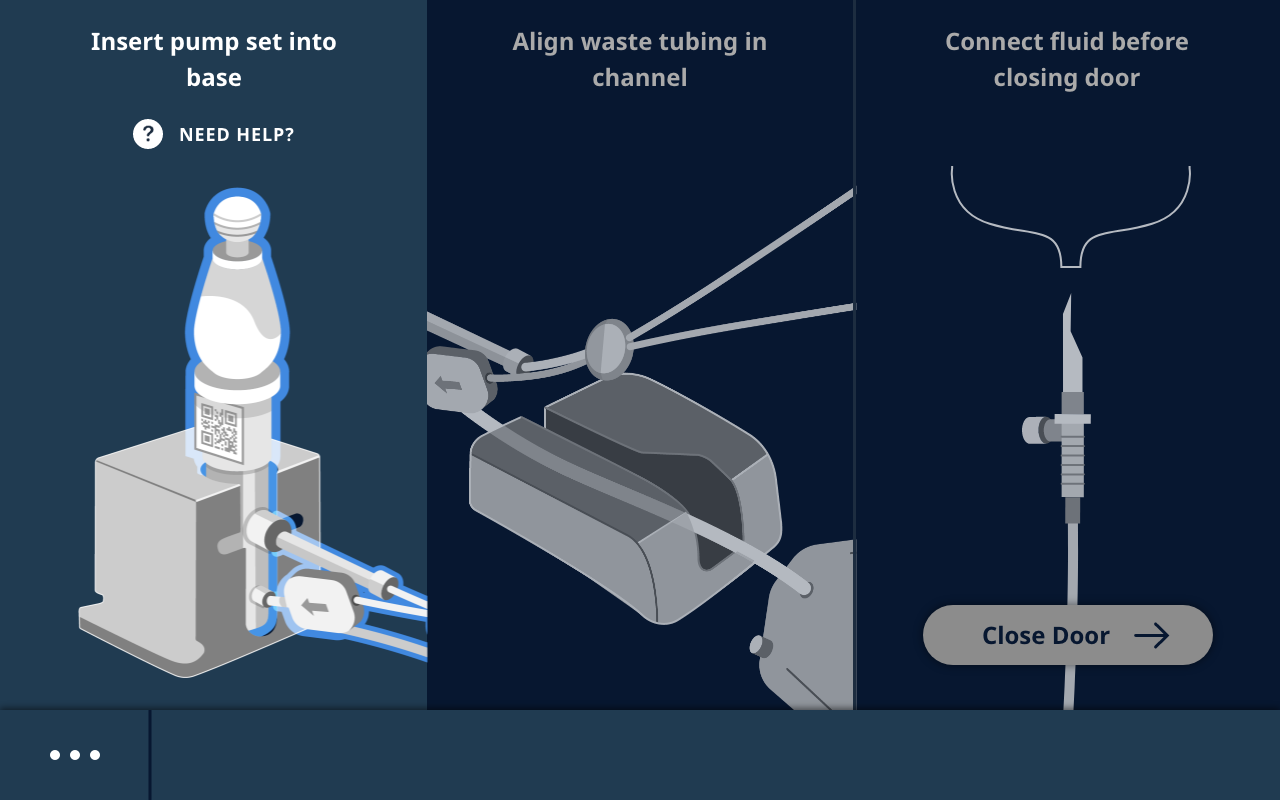
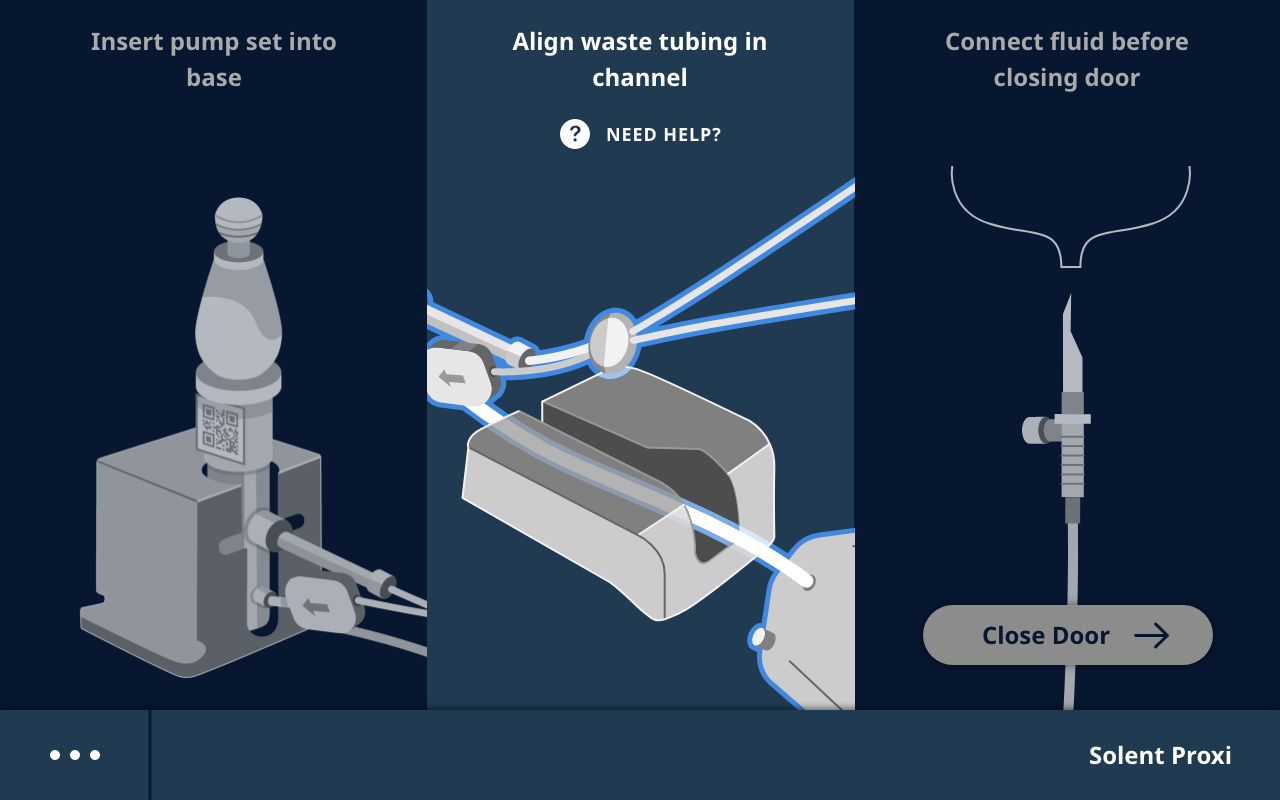
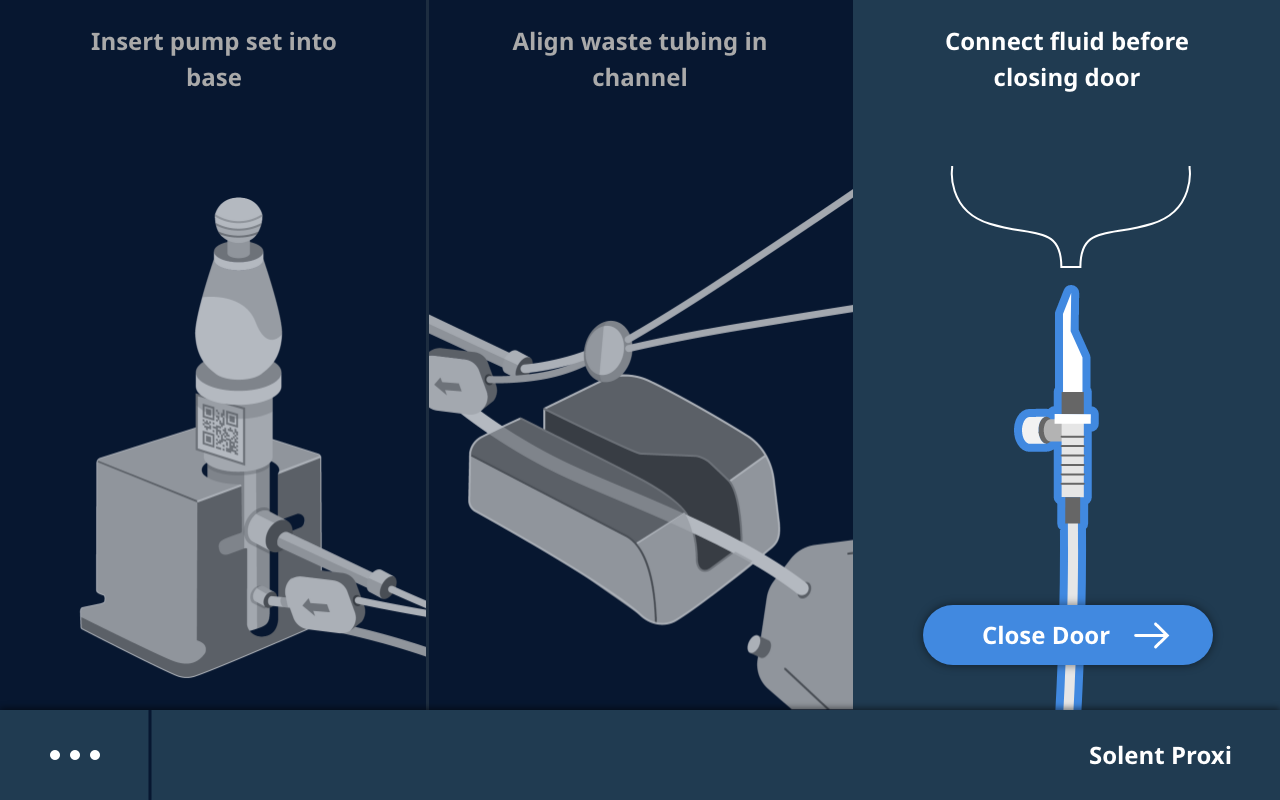
The guided setup flow: from pump insertion through catheter priming, the interface walks the technologist through each physical step.
-->The Problem
The AngioJet is a peripheral thrombectomy device that removes blood clots via lytic delivery and active aspiration. In the OR, a cardiovascular technologist operates the console while a surgeon directs from the sterile field.
The existing device gave them a small LCD, six hardware buttons, and no workflow guidance. Techs ran procedures from memory. The interface did nothing to support the sequence.
The tech operates up close: hands on, decisions fast, attention split between screen and surgeon. The surgeon monitors from across the room, glancing, interpreting, directing.
Every screen had to serve precise hands-on control for the tech while remaining instantly readable from two meters away. No mode switching. No separate views.
Before: AngioJet Ultra
Small LCD, 6 status icons, segment-display timer, 3 physical buttons. No guided workflow.
After: AutoElite Console
Full touchscreen GUI. Guided procedure flow. Real-time data hierarchy designed for both users.
The Solution
Most medical device GUIs organize around features and settings menus. We organized ours around the clinical workflow itself:
Each phase maps to a single, locked screen state. The interface always tells you where you are and what comes next. Each screen shows only what's relevant at that moment: no reaching ahead, no buried steps. In a high-stakes environment, a narrower interface is a safer one.
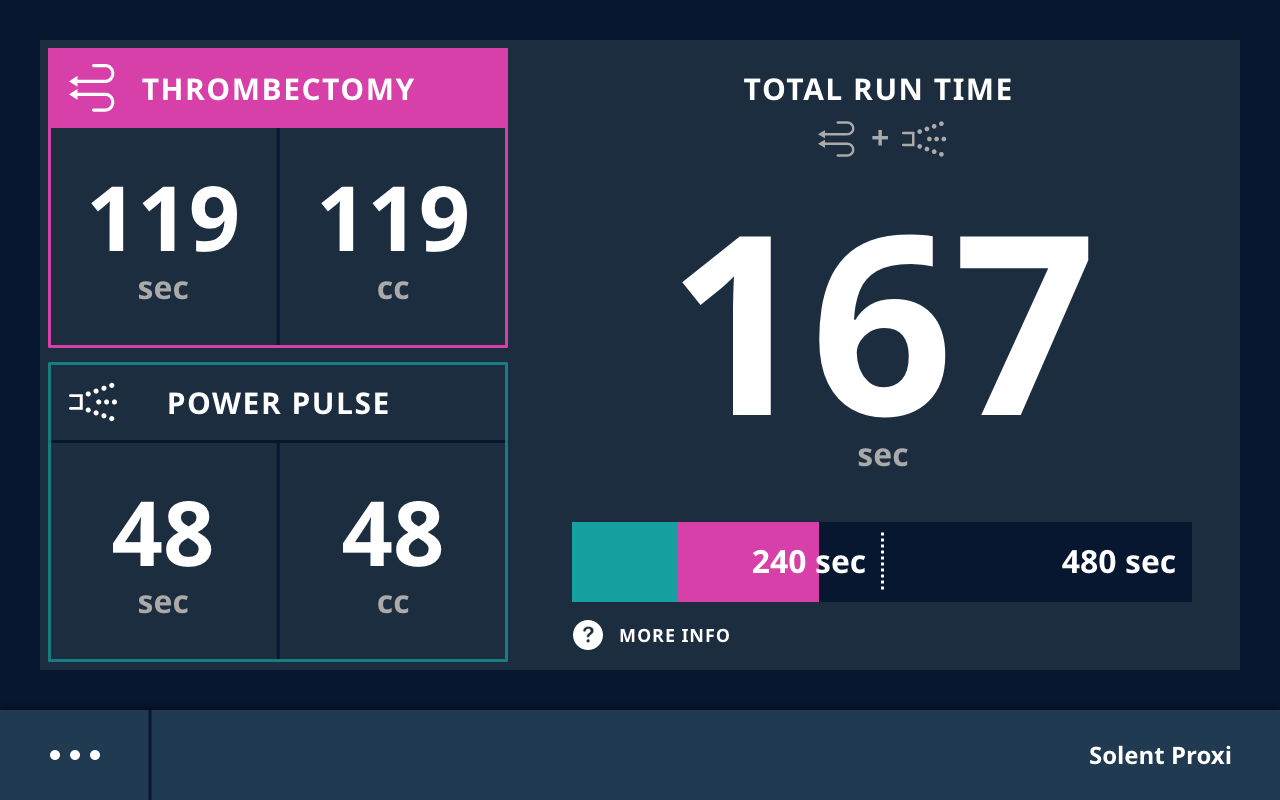
Power Pulse mode introduced a lytic delivery phase before active aspiration, adding a second procedure mode and significantly increasing the cognitive load mid-procedure. The run screen tracked both modes simultaneously: individual timers, fluid volumes, a combined total, and a safety progress bar with two contextual thresholds at 240 and 480 seconds depending on blood flow.
The dual-mode timer display was distinctive enough that Boston Scientific filed a US patent application on it. The color-coded mode indicators, hierarchical time tracking, and contextual safety progress bar were all cited as core elements of the invention.
The tutorial menu standardizes how procedure information reaches the team. Every tech learns from the same source: the actual interface, on the actual device, in the context where they'll use it. Learning in context is faster, sticks better, and reduces the gap between training and doing.
It's also always current and always at hand. No manuals to track down, no version uncertainty. In a regulated clinical environment where teams need to act fast and act right, having authoritative guidance embedded in the device is more than a convenience.
The Prototype
Click through the screens to experience the full procedure: setup through mode selection, active thrombectomy, and dwell timing.
Outcomes
Both user types completed every task correctly on first attempt, meeting the FDA human factors benchmark. Technologists who'd run the old device for years said it felt "like it was designed for how the procedure actually works."
More case studies
Revolutionizing Organ Transplant Analytics: a unified histocompatibility platform.
Streamlining platelet+ collection workflows for operators of all experience levels.
Automation that replaces manual processes and builds confidence across transfusion labs.